

Shifting from merely chasing views to earning sales commissions is a more measurable monetization step on TikTok. Unfortunately, many creators get stuck at the initial stage: the affiliate menu doesn't appear or registration is rejected without warning. The main cause is not a complicated process, but rather a misunderstanding of basic account requirements. Before looking for the register button, you need to validate your account's eligibility first so you don't waste time on preventable rejections.
Mandatory Account Requirements Before Registering for Affiliate
To start how to register for TikTok Affiliate, users must meet three absolute basic criteria. First, be at least 18 years old based on the date of birth registered during account creation. Second, have an account with the minimum number of followers set by the platform. Third, the account's track record must be clean of community guideline violations.
Many creators fail the initial verification because they ignore these limitations. For example, if the registered date of birth indicates an age under 18, the affiliate menu will not be displayed at all by the system. In addition, some creators switch to a business account assuming the affiliate feature will be instantly active, whereas changing the account type can affect access to other features like the use of copyrighted music.
Differences Between Personal and Business Account Status
TikTok differentiates affiliate feature access based on account type. Personal accounts with the minimum number of followers can activate the affiliate feature via the Creator Tools menu. Meanwhile, business accounts have their own path through TikTok Shop, which requires verified business documents before the product catalog can be linked.
Choose the account type based on your content strategy. If you focus on recommending other people's products, a personal account is sufficient. If you want to sell your own products while also being an affiliate, a business account is more suitable. Another mandatory requirement is to have at least one video posted in the last 28 days.

Risk Limits: Community Violation History
Accounts with community guideline violation warnings in the last 90 days tend to not pass affiliate verification. Violations such as spam content, copyright infringement, or spreading misleading information will hold the creator's status until the warning period passes. Before registering, check the Account Status page in your account settings to ensure there are no active warnings. If there are, wait until the status is clean again before registering.
Step-by-Step TikTok Affiliate Registration Flow
Once your account meets the minimum requirements, the next step in the how to register for TikTok Affiliate flow is navigating the in-app menu. Open your profile, tap the three-line icon in the top right corner, then select Creator Tools. In this section, look for the TikTok Shop for Creators option or the available affiliate menu. If the option doesn't appear, the account likely hasn't met the video posting requirement in the last 28 days, or there is still an unresolved community warning.
Creator Tools Menu Navigation and Identity Verification
After entering the affiliate menu, the system will ask you to fill in tax information and complete identity verification. Prepare your ID card or official identity document before starting this stage, as the data must match your TikTok account name. A common mistake here is entering a name different from the official document, which can delay the approval process. Once verification is approved, you can browse the product catalog and start selecting items relevant to your content niche.
Practical Assessment: How to Link a Product Catalog to a Video
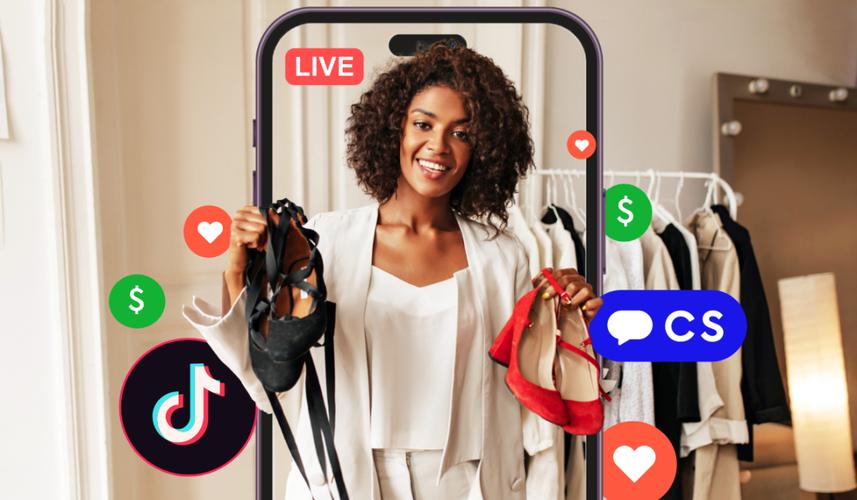
When the registration is active, the next execution step is adding product links to your content. When creating a new video, tap the Add link option before publishing, select Product, then search for the product from the affiliate catalog. Choose products that are truly relevant to the video content so that the click-through and conversion rates are more optimal. To further understand the commission mechanism and payment flow, also learn thoroughly about how affiliate works. Avoid attaching products randomly without context, as the algorithm may reduce the reach of videos considered promotional spam.
Commission Withdrawal Policies and Post-Registration Strategy
Completing the registration process does not mean commissions can be withdrawn right away. Many new creators are trapped in the expectation that every sale instantly turns into a balance ready for withdrawal. In reality, there is a time gap and strict verification policy before the funds actually enter your account.
Identity Verification and Fund Withdrawal Rules
Before making the first withdrawal, TikTok must verify your identity. This process requires official documents such as a valid ID card or passport, as well as valid tax information. Failure to upload the appropriate documents is often the main cause of held funds. In addition, accumulated commissions cannot be withdrawn immediately. The TikTok system holds funds during the ongoing return claim period until the order is completed by the buyer, to ensure there are no failed transactions or order cancellations. You also need to pay attention to the minimum fund withdrawal limit applicable in your region before requesting a transfer to your bank account.
Common Questions About Affiliate Limitations
Many prospective creators ask whether instant followers are allowed to speed up affiliate approval. The answer is no. Buying followers violates community guidelines and risks permanently disabling the affiliate feature. Additionally, there is a risk of affiliate content rejection if the video only contains excessive promotion without added value, or if it violates product safety guidelines. Ensure that every product link added is relevant to the video content to avoid reduced exposure or cancellation of affiliate status.