

Many creators realize that becoming a TikTok affiliate is not just about putting links in videos. When content strategies change or operational burdens pile up, the question of how to stop being a tiktok affiliate starts to arise. Unfortunately, most creators try to exit the wrong way—deleting videos one by one or even completely deactivating their TikTok accounts—when in fact, the official procedure is much simpler if done through the correct channel.
Common Reasons Creators Choose to Exit the TikTok Affiliate Program
The most common reason creators choose to exit is a shift in business focus. A creator who initially promoted third-party beauty products might decide to launch their own products, making affiliate marketing no longer aligned with their content direction. Additionally, the pressure of the TikTok algorithm, which demands consistent posting and high engagement, makes time management a real challenge, especially for creators managing affiliate marketing as a side job.
Operational burdens are also often overlooked. Managing shopping cart links, monitoring order statuses, and handling customer complaints about promoted products require a significant amount of time and energy. When the commission earned is not proportional to the effort expended, leaving the affiliate program becomes a rational decision worth considering.
It is important to understand that quitting the affiliate program is not a failure, but rather a strategic adjustment. However, this decision needs to be made with a full understanding of the official procedures and consequences.
Mandatory Prerequisites Before Deactivating an Affiliate Account
Many creators rush to find out how to stop being a tiktok affiliate without paying attention to ongoing transaction statuses. In fact, exiting the program while there are still active orders can risk harming the commissions you should receive. Before pressing the exit button, make sure there are no orders still in the shipping or return period. Commissions from affiliate orders will only be fully liquidated and withdrawable after the order status changes to completed and passes the refund guarantee period.
In addition to waiting for pending commissions to be liquidated, another crucial administrative step is the removal of active links. You need to detach affiliate products from old videos that are still getting traffic. If you deactivate your account directly without removing the yellow cart links, the system will display broken links on your videos, which can indirectly degrade the overall quality of your account. Leaving orders hanging when exiting the program can also trigger fund delays or platform compliance reviews.

Technical Steps to Deactivate TikTok Affiliate Status
Understanding the technical procedure for quitting the affiliate program is crucial so you don't leave your account status hanging. Many creators mistakenly think that simply deleting promotional videos or emptying the yellow cart is enough, even though this does not officially change the affiliate status. The core process lies within the Creator Tools settings.
Navigating the settings menu and deactivation confirmation
Here are the official steps to deactivate your affiliate status:
- Open the TikTok app, go to your profile page, then access the Creator Tools menu.
- From here, look for the monetization section or TikTok Shop to find the affiliate program option.
- Inside the affiliate panel, look for the Exit Program or Leave Program option.
- Before pressing this button, check if there are any warning notifications from the system. TikTok usually displays a pop-up summarizing the consequences of deactivation.
- Read the entire warning text, check the agreement box if prompted, then press the confirmation button to complete the deactivation process.
The most frequent operational mistake at this stage is creators pressing the confirmation button in a hurry without reading the clauses on the screen. In fact, the system often requires you to complete verification or provide final consent that you understand the risk of losing access to product links.
Consequences of Deactivation and Opportunities to Sell Again
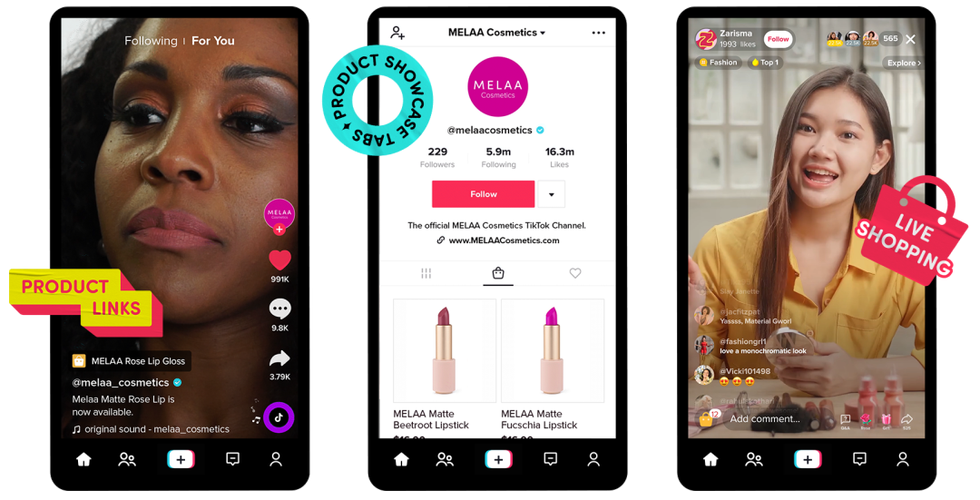
Deciding to leave the affiliate program is not just about pressing the exit button. Once the affiliate status is deactivated, all third-party product links previously attached to the yellow cart will be automatically removed from videos and live streams. Old content that relied on affiliate links will lose its click-to-product function, so videos that used to generate commissions will no longer direct viewers to the purchase page.
Impact on cart links and sales history
Sales history and recorded commission data remain stored in the dashboard as long as the account is active, but access to manage or withdraw pending commissions must be completed before the deactivation takes full effect. If there are orders still in the guarantee period or not yet completed, commissions from those transactions may be held or even fail to be disbursed.
To rejoin, TikTok does not promise instant reactivation. Creators need to re-register and meet the requirements applicable at that time, including minimum follower limits and content guidelines that may have been updated. If your goal is simply to switch to your own products, consider keeping your account and switching to TikTok Shop as a seller, rather than exiting the ecosystem entirely. Understanding how to stop being a tiktok affiliate comprehensively helps you make strategic decisions without harming your business.
Frequently Asked Questions About Quitting TikTok Affiliate
Can I reactivate immediately if I change my mind?
No. Creators need to re-register and meet the applicable requirements at that time. There is no guarantee of instant reactivation after you press the exit button.
Can commissions that have already been credited still be withdrawn?
Yes, as long as the order status is completed and has passed the refund guarantee period. If you deactivate your account while there are still pending orders, those commissions may be held.