
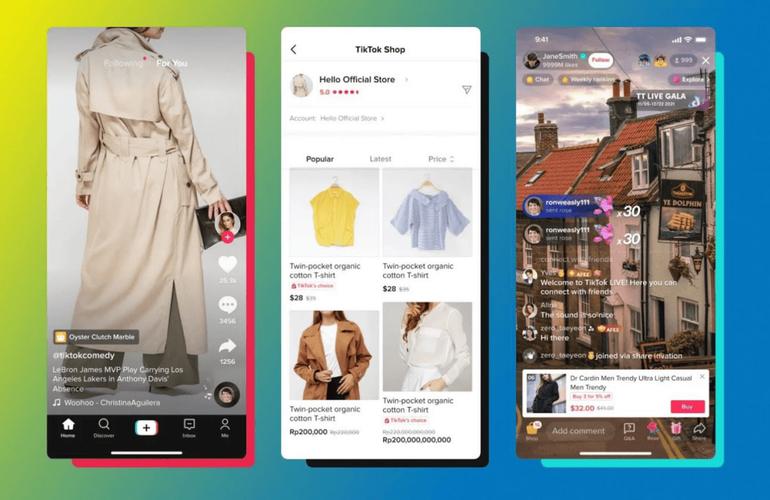
Many new affiliates open the TikTok Affiliate dashboard with one simple thought: paste a link, wait for the commission to come in. Once inside, reality turns out to be more layered: there are three placement points, each working with its own logic. If they aren't distinguished from the start, links that were carefully pasted can end up without a tracked click or without a product appearing in the showcase.
Instead of guessing which field is the right one, a calmer approach is to first understand the role of each placement point. This article maps links in videos, links in bio, and slots in the showcase as three different tools that complement one another, complete with the setup flow and pitfalls that often go unstated.
Five Minutes to Recognize the Three Placement Points
Before pasting anything, there are three placement points that need to be fixed in your head as three separate roles. A link in a video attaches a product to a specific upload, so interested viewers can be directed straight to the same product page being shown. A link in bio acts as a single exit door pointing viewers to one go-to URL, often used when a creator wants to drive traffic to a personal landing page or the main showcase outside of video. Meanwhile, the showcase is a visual display on the profile that can hold many products at once, suitable when a creator wants to show a catalog without having to make one video per product.
These three points are not mutually exclusive choices. Many creators use them at the same time for different roles, for example a link in video for one flagship product, a showcase for the catalog, and a bio for cross-app referrals.
Mistakes That Often Make Links Not Respond
A few wrong patterns most often appear when new affiliates paste their first link. First, pasting a raw URL copied from a general showcase, when in fact what's needed is an affiliate link already generated through the official dashboard because that's where the tracking code is stored. Second, copying a link from the showcase into the video field or vice versa, assuming all fields are the same place for a URL, when in fact their code structure differs, so tracking treatment isn't always consistent. Third, assuming all creators automatically have access to the same placement points, when feature availability depends on account status, profile completeness, and the platform's internal review.
Quick Comparison Table of Affiliate Link Placement Points
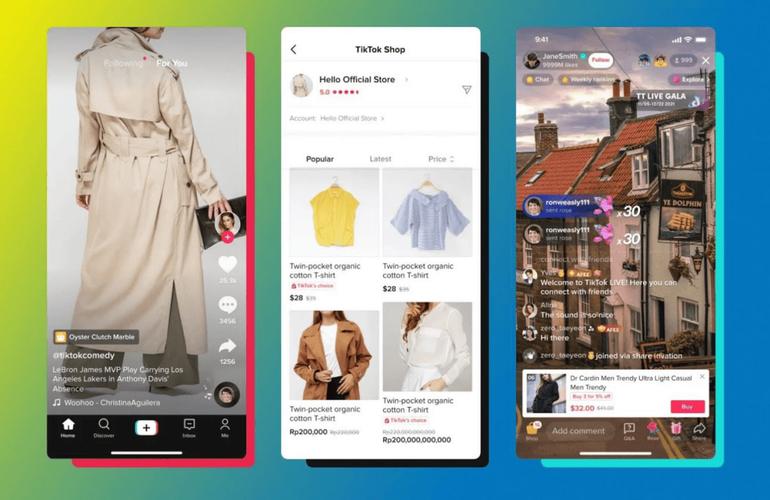
Before going into the detailed steps, this table helps you see the differences between the three on a single screen. Read it as a thinking framework, not an absolute map of the interface, because field positions can shift when TikTok updates its layout.
| Placement Point | UI Field Used | Most Suitable Use Case | Limits to Keep in Mind |
|---|---|---|---|
| Video | Add product section on the video edit page before publishing | Content featuring a single flagship product with one call to action | Not all creators have access to the product feature in video |
| Bio | Website field on the profile edit page | A permanent referral door, especially for audiences outside the app | Only accepts one URL, so a strategy is needed if you have many products |
| Showcase | Product slots on the creator's showcase page | A catalog of several products arranged as a display | Linking is not automatically tied to a specific video; separate promotion is needed |
Note: field positions can shift when TikTok updates the interface, as can the availability of product features for creators with certain account statuses. For that reason, this table is best read as a thinking framework, not an absolute map of the interface.
How to Add Product Links in Video, Bio, and Showcase
Once you understand that there are three different placement points, most new affiliates gain confidence faster once they practice the setup flow one by one. This section maps the operational steps for pasting links into the three most commonly used public points, in an order that reflects content priority: video first, then bio, then showcase.
Pasting a Link in Video Content
Video is the content surface audiences reach most often, so this step is often the core of how to add a product link in TikTok Affiliate. The flow starts on the video edit page before publishing. After filling in the description and cover, look for the option to add a product link, then pick a product from the creator's catalog list, or paste the affiliate link already generated through the affiliate dashboard. It's the affiliate link, not a raw URL from a general showcase, that needs to be installed so that clicks are tracked as affiliate contribution.
Before hitting publish, do three small checks: reopen the link field to make sure the URL is saved intact, check the description so it doesn't cut off how the link appears, and watch the preview to make sure the product card appears in the right order.
Pasting a Link in the Profile Bio
For bio, the flow doesn't go through the affiliate dashboard but through the profile page. Open profile settings, choose the website section, then paste your main affiliate URL. Since there's only one slot, fill it with a link that summarizes several products or points to a personal showcase. After saving, check the display on a second account or public mode, because some displays hide the bio link on devices running different app versions.

Pasting Products in the Showcase
The showcase is a permanent display on the profile, so the process is similar to arranging a catalog: go to the creator's showcase page, add products from the affiliate list, then arrange the order so the main product appears at the top. The showcase is a good fit when there are quite a few products to recommend and bio alone isn't enough to hold them, but keep in mind that not all creators have access to a showcase with the same features.
Choosing the Right Placement Point for Your Content
Once you understand the three linking paths, the question that usually comes up next is which path to use for a given upload. In practice, choosing a placement point isn't about right or wrong, but about matching the nature of the content to how the audience finds it. If all products are forced into a single point, what often happens is the link never gets clicked or the click isn't recorded because it didn't go through a field monitored by the affiliate system.
Decisions Based on Content Goals
When the content is a short video designed around one flagship product, paste the link directly on the video edit page. For a longer catalog, the showcase is usually more efficient because one page can hold many products while still showing the creator's identity. Meanwhile, the profile bio is the best fit when you want a referral outside the app, for example a link to a personal store, a landing page, or a collection of products that can't be fully covered in a single video.
Verification Habits After Pasting a Link
Whatever point you choose, get into the habit of checking the result before considering it live. Open the profile from a second device or public mode, make sure the link displays as planned, and notice whether field positions shift after an app update. A simple note about these interface changes is worth keeping as an internal reference, because field positions on TikTok can shift without notice. With this brief verification routine, how to add a product link in TikTok Affiliate doesn't stop at the act of pasting, but extends to the certainty that the link is ready to be clicked by the audience.
For broader context, also learn how to create a basic affiliate link so that every placement point you choose has a solid link foundation ready to use from day one.