
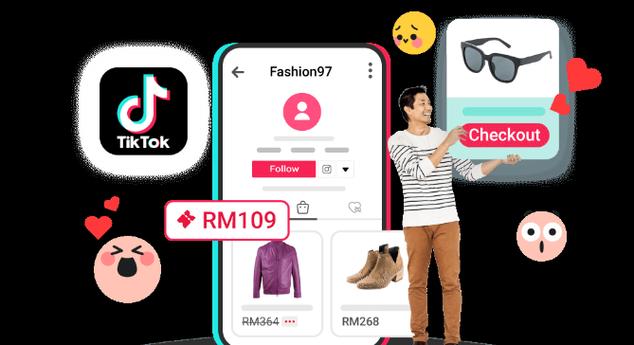
The biggest temptation when opening the promotion menu in TikTok Shop isn't the limited number of options, but the sheer number of buttons that seem to promise quick results. Sellers without a framework often switch on several features at once, then only realize that stock is running low, chats are piling up, and the budget is exhausted without a clear picture of what is actually working. The problem isn't the features themselves, but the order of decisions before those features are switched on.
This article helps you weigh TikTok Shop promotion features for sellers through a simple framework: set your goal, measure your store's readiness, then choose the one feature category closest to that goal. The discussion covers concepts and criteria, not sales figures or discount promises.
Three Common Mistakes Before Promotion Begins
The same mistakes tend to repeat. First, assuming all features can be activated at once without limits, when in fact every feature demands attention, admin time, and often budget. Second, choosing a feature because it's widely talked about rather than because it fits the store's condition. Third, forgetting to gauge stock readiness, capacity to answer questions, and budget limits before promotion runs. When orders rise, service complaints emerge that damage the buyer experience.
Before opening the list of features, decide two things first. First, the promotion goal: whether you want to drive visits, raise conversion, or maintain repeat purchases. Second, store readiness: stable stock, a sufficient team, and realistic budget and duration limits. With these two decisions, comparing features becomes more logical and isn't just following trends.
Promotion Feature Categories and When to Use Them
Understanding categories is more useful than memorizing feature names. Each group of features works at a different stage in the buyer journey, so the readiness required also differs.
Features to attract attention and visits
This group works to expand reach so products are more likely to be seen, for example through content promotion, limited offers, or placement that is visible in the feed. Features like these make sense when a store is newly building visibility. The risk limit is clear: don't rely on these features if the product page doesn't yet contain decent photos, descriptions, and stock information, because visits to an unprepared page only increase the chance that buyers leave.
Features to drive purchase decisions
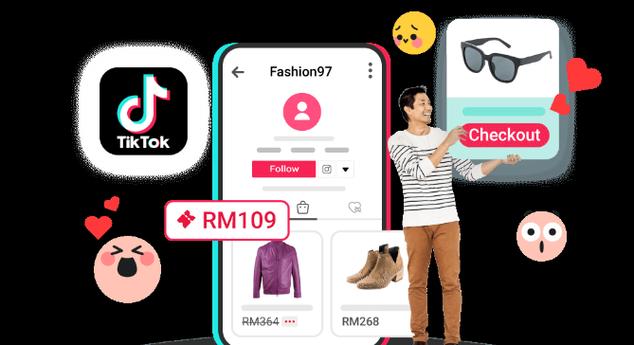
The second group helps buyers decide after seeing a product, such as vouchers, bundling, or special offers on the product page. These features are better suited to stores that already have visits but need conversion pushed. Here operational readiness is decisive: make sure you can fulfill the discount promise, answer questions, and ship orders within the promised time. Incentives not backed by stock and service will only create complaints.
Features to maintain repeat purchases
This group targets existing customers or communities, for example follow-up offers or content specifically for followers. Features like this only become relevant if the store already has a customer base and a working after-sales service mechanism. Without that, repeat promotions only add workload without strengthening the relationship.
Feature selection consideration table
The following table is a thinking framework, not a results recommendation. Use it to compare categories before choosing one or two features to try.
| Feature category | Main goal | Recommended store readiness | Risk limit |
|---|---|---|---|
| Attracting attention and visits | Expanding reach and bringing in visitors | Complete product page, clear photos and descriptions, recorded stock | Visits arrive at an unprepared page and buyers leave |
| Driving purchase decisions | Raising conversion from existing visits | Stable stock, admin ready to answer, discount promise fulfillable | Incentives without stock and service support trigger complaints |
| Maintaining repeat purchases | Retaining existing customers and community | An existing customer base and after-sales service mechanism | Service workload increases without strong customer relationships |
Four Criteria Before Activating Promotion Features
Before pressing the activation button, use four criteria as a filter. First, clarity of goal: adding visits, driving decisions, or retaining existing customers. Second, stock readiness and service capacity, including who answers questions while the promotion runs. Third, budget and duration limits so the promotion doesn't continue without evaluation. Fourth, readiness of the product page and store information, because any feature will be wasted if buyers can't find the details they need.
For small stores, a reasonable testing order is to start with the one feature closest to the main goal, for example a decision-driving feature if visits already exist but buyers are hesitant. Set a reasonable observation period, compare responses, then consider adding another feature. Avoid piling on features before the order flow and customer service are stable, because too many variables changing at once make it hard to judge what needs fixing.
It's best to postpone promotion if stock isn't stable yet, no admin is handling questions yet, or the product page doesn't yet contain important information. Tidy up the preparations first using the product upload guide and store link on this site, so that when promotion features are chosen, prospective buyers already find a page that is ready to be trusted.
Frequently Asked Questions
Should all promotion features be tried at once?
No. Switching on many features at once makes it hard for you to judge which one is actually working. Start with the one feature closest to the main goal, give it a reasonable observation period, then add other features once operations are proven ready. The principle is simple: one change, one evaluation period, one decision.
What needs to be prepared before promotion begins?
At minimum four things: a clear product page, stable stock, an admin ready to answer questions, and a budget limit and promotion duration. If any one isn't ready, postpone it. Promotion without this readiness only moves the problem from the product page to the chat and order queue.
What if the promotion budget is limited?
This is exactly where the goal and readiness framework is most useful. With a limited budget, choose the one feature closest to the most urgent goal, set a clear duration, then evaluate before deciding to continue or stop. Splitting the budget across many features at once usually makes results hard to read.
Verification notes and next steps
The terms and availability of promotion features in TikTok Shop can change, so always verify at official sources before activating them. Once the goal framework and store readiness are set, you can compare features more calmly and avoid rushed decisions.