
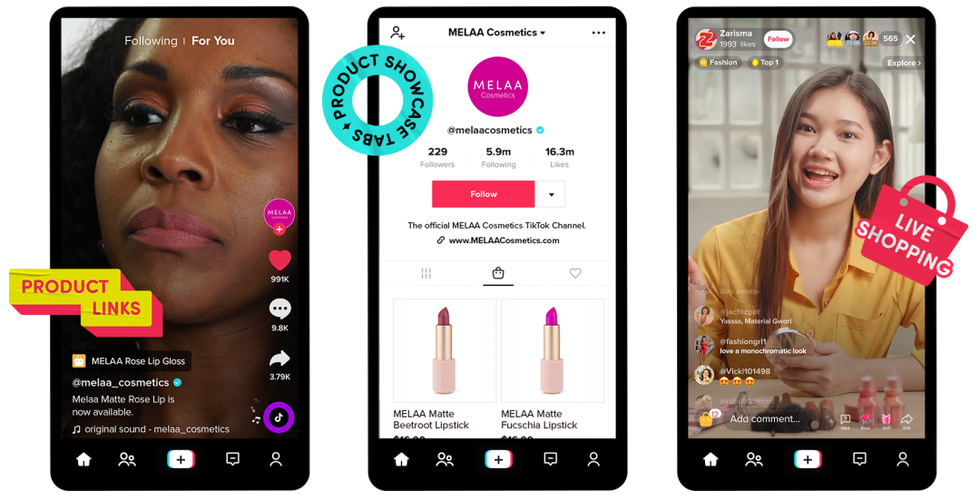
Many SME owners assume that a TikTok Shop is automatically ready to receive orders once a single product is successfully uploaded. In fact, the first order often fails to process not because the product is unappealing, but because the basic backend settings are incomplete. The TikTok system will not recommend your store optimally if payment methods are unverified or shipping options are unselected.
Why Do New Stores Often Lose Their First Order?
A critical point often ignored by new sellers is shipping configuration. The tendency to check all courier options without considering regional coverage and logistical capacity often leads to operational disasters. Orders come in from unserviceable areas, the cancellation ratio rises, and store performance plummets before it can gain momentum.
Direct answer: The correct way to set up TikTok Seller Center includes the following sequence of steps: verifying the store owner's identity, entering the warehouse address, selecting couriers, setting up a bank account for fund disbursement, and then uploading the first product. If one step is missed, the store is technically unready to receive orders even if the profile appears active.
Critical Preparation: Documents and Account Type Selection
Before opening the registration page, the most crucial decision often overlooked is choosing the right account type. Many sellers rush to use an individual account because the process seems faster, only to encounter administrative hurdles when their sales scale begins to grow. Choosing the account type early directly affects your fund withdrawal limits and the documentary obligations attached to your store.
Differences Between Individual and Business Accounts
An individual account only requires an ID card (KTP) and live facial verification. This option is suitable if you are just testing the market without targeting large transaction volumes, though it has stricter daily or monthly fund withdrawal limits. Conversely, a business account requires a company Tax ID (NPWP) and business legality documents such as a Deed of Establishment (AKTA). Although the requirements are more complex, a business account provides higher disbursement limits and better credibility in the eyes of corporate buyers.
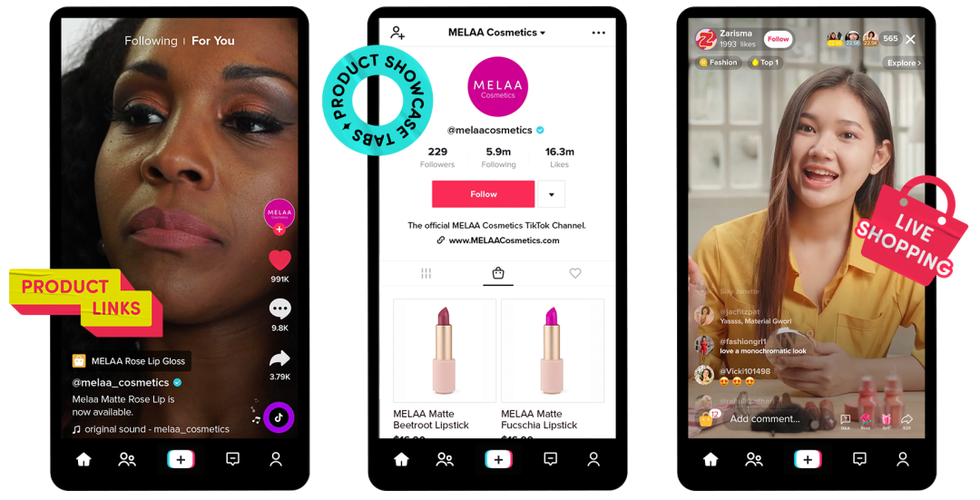
As an operational consideration, if you plan to promote products massively or collaborate with major creators, use a business account from the start. A fatal mistake at this stage is entering the wrong bank account holder name. The name on the account must exactly match the name on the ID card (for individual accounts) or the legal entity name (for business accounts). Any mismatch will cause sales funds to be held or fail to be disbursed.
Complete Flow on How to Set Up TikTok Seller Center from Scratch
Many SME owners get trapped at the moment when the first order arrives but the system refuses to execute shipping because some data is unverified. Understanding the flow of how to set up TikTok Seller Center from the start is not just an administrative formality, but an operational foundation so the store is truly ready to process transactions without technical hurdles.
Identity Verification and Warehouse Setup
The first step is identity document verification. The system will request an ID card scan and live facial verification. Ensure good lighting and clear ID data to avoid rejection. Once identity is verified, proceed with setting up the warehouse address. Do not carelessly use a home address if you are not always there, as this address becomes the courier pickup point.
If you use a third-party warehouse, enter the main warehouse address and add a backup address if available. This anticipates pickup failures when the main warehouse is full or operational issues occur at a specific location.
Shipping Options and Payment Method Configuration
The most fatal mistake at this stage is checking all courier options without confirming the courier's coverage to your warehouse location. If the courier cannot pick up, the order will be automatically canceled and directly impact your store rating. Choose couriers that are proven active and responsive in your area.

Next, configure the payment method. Enter the bank account number under the personal name (for individual accounts) or company name (for business accounts) that exactly matches the registration documents. Fund disbursement from TikTok Shop is very strict regarding bank account holder name verification.
Final Checklist and Fatal Mistakes Often Ignored
Completing the setup process does not mean the store is immediately battle-ready. Many SMEs are trapped in the mindset that the store is active just because the first product was successfully uploaded. In reality, negligence in operational details is often the main cause of the first order failing to process.
Here is the final checklist you must verify before opening your store:
- Store profile is complete, including bio, avatar, and a clear return policy.
- Shipping operating hours are set realistically according to your team's capacity.
- Warehouse address is correct and accessible to couriers, not just a home address that is hard to find.
- Bank account is verified to avoid fund disbursement delays.
One fatal mistake often ignored is neglecting shipping deadlines or SLAs (Service Level Agreements). If you choose a courier with a fast estimated time but your operations cannot fulfill it, the TikTok Shop system will automatically cancel the order and penalize your store. Therefore, during the TikTok Seller Center setup process, ensure you only activate logistics options that can truly be executed on time.
Quick FAQ:
Can the store immediately receive orders after setup is complete?
Yes, the store can immediately receive orders. However, ensure all the checklists above are met to avoid operational issues when the first order comes in.
If all settings are correct, the next step is to optimize your product catalog and consider activating the affiliate program to expand your sales reach.